
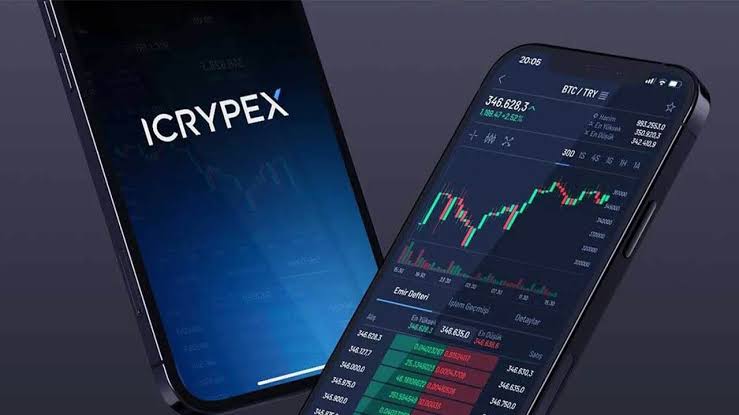
Before you log in: the one habit that prevents most losses
In eight years of auditing crypto security incidents, I can tell you that the majority of retail account compromises do not involve exotic exploits. They involve a user typing real credentials into a fake login page. So before we walk through the ICRYPEX sign-in flow, adopt one habit that neutralizes most of that risk: never reach the login page through a link. Not from an email, not from a search ad, not from a message that looks like it came from support. Type icrypex.com yourself, or use a bookmark you created, or use the official mobile app. That is the whole habit. It is boring, and it works.
If you do not have an account yet, note that ICRYPEX requires full KYC verification (an ID document plus a liveness check) before you can trade, in line with Turkey’s MASAK anti-money-laundering obligations. For background on the platform itself — products, fees, regulation — see our complete ICRYPEX review.
Logging in step by step (web and mobile)
The flow is the same in substance on the website and in the iOS/Android app. Here it is end to end:
- Open the official entry point. On desktop, type icrypex.com into the address bar. On mobile, use the official ICRYPEX app installed from the App Store or Google Play — check the developer name before installing, because fake exchange apps periodically slip into app stores.
- Verify the domain. Before typing anything, confirm the address bar reads exactly
icrypex.comand shows a valid connection padlock. Attackers register lookalike domains with swapped letters, added hyphens or different endings. One second of checking beats weeks of incident response. - Enter your email or phone number and password. Use the credentials you registered with. If your password manager refuses to autofill, treat that as a red flag — managers match the exact domain, and a refusal often means you are on a clone site.
- Complete the 2FA challenge. Enter the six-digit code from your authenticator app (or SMS, if you have not upgraded yet — see the next section for why you should). Codes rotate every 30 seconds; if one expires, just use the next.
- Approve new-device verification if prompted. Signing in from a new device, browser or location typically triggers an email confirmation. This is friction working in your favour: it is the same barrier an attacker with your password would hit.
- Do a ten-second health check. Once inside, glance at your balance, open orders, withdrawal address list and active sessions. Anything you do not recognize — go straight to the incident checklist at the bottom of this page.
Trade with proper safeguards
Choose a platform with mandatory 2FA and cold storage, and compare security features before you deposit.
Setting up 2FA: authenticator app beats SMS, every time
ICRYPEX supports two-factor authentication via SMS and via authenticator apps, according to the official site. If you take away one actionable item from this page, make it this: switch to an authenticator app. Here is the reasoning, not just the instruction.
SMS codes travel through the mobile phone network, which means your security depends on your mobile carrier’s front-line staff. In a SIM-swap attack, a criminal convinces (or bribes) a carrier employee to move your number to their SIM card. From that moment, your SMS codes go to the attacker. This attack has drained crypto accounts worldwide for years, and you cannot prevent it — the weakness sits inside the carrier, not your phone.
A TOTP authenticator app (Google Authenticator, Aegis, 2FAS, or a hardware-backed option) generates codes locally on your device from a shared secret. No phone network involved, nothing to hijack remotely. Setup takes five minutes:
- Open security settings in your ICRYPEX account and choose authenticator-app 2FA.
- Scan the QR code with your authenticator app. The app starts producing six-digit codes immediately.
- Save the backup key. The setup screen shows a recovery secret — write it on paper and store it offline. If you lose your phone without this key, restoring 2FA becomes a slow manual support process with identity re-verification.
- Confirm with a live code to activate, then log out and back in once to verify everything works.
Store the 2FA backup key and your password in different places. If both live in the same note on your phone, you have built a single point of failure and called it security. Paper in a drawer for the backup key, password manager for the password — separate failure domains. And never photograph the QR code into your camera roll; cloud-synced photos are a favourite hunting ground after phone compromises.
Password reset and recovery flow
Forgotten passwords are routine; handle them calmly and through the official flow only. On the login screen, choose the password reset option, enter your registered email, and follow the link that arrives. Set a genuinely new password — long, unique, generated by a password manager — not a variation of the old one. Then log in with your 2FA code as usual.
Two things to know about resets on exchanges, ICRYPEX included:
- Reset emails come to your registered address only. If a “reset” email arrives that you did not request, someone may be probing your account. Do not click it. Log in through your bookmark and change your password from inside the account.
- A password change can freeze withdrawals temporarily. Exchanges commonly hold withdrawals for a period after credential changes — an anti-theft measure that limits what an attacker can extract even after a successful takeover. If you plan to withdraw soon, change your password after, not before. More on holds in our withdrawal guide.
If you have lost access to both your password and your 2FA device, expect a manual recovery through official support with full identity re-verification. It is slow by design. Any “fast recovery service” you find elsewhere is a scam without exception.
Why accounts get locked — and what actually helps
A locked account triggers panic, but the causes are usually mundane. The common ones:
- Repeated failed logins. Several wrong password attempts trigger an automatic temporary lock — a brute-force defense. Usually it expires on its own; the reset-password flow also clears it.
- Suspicious-activity flags. Logins from unusual locations, rapid device switching, or automation-like behaviour can freeze a session pending verification.
- KYC and compliance reviews. Incomplete verification, expired documents, or transaction patterns that trip MASAK anti-money-laundering rules can pause an account until a review completes. Turkish platforms operate under active reporting obligations, and under the SPK licensing regime introduced by Law No. 7518 the compliance bar keeps rising — expect verification requests to be thorough, and respond through official channels only.
- Your own security settings. Address-whitelist changes, new-device confirmations and similar protections sometimes read as “locks” when they are just pending confirmations sitting in your email.
What helps: the official support channels reachable through icrypex.com, your registered email inbox (including spam), and patience. What does not help: “support agents” who contact you first on Telegram or X, anyone asking you to pay a fee to unlock an account, and anyone asking for codes or passwords. Those are all attackers, categorically.
Phishing defense: how attackers actually get in
Let us walk through the real attack patterns, because recognizing them beats memorizing rules.
The fake login page
You receive an email: “Suspicious activity detected — verify your account.” The link leads to a pixel-perfect copy of the exchange login on a lookalike domain. You enter your password and even your live 2FA code; the attacker’s script replays both against the real site within seconds. Defense: never log in via links. Bookmark. Type. App.
The fake support agent
You complain about something on social media; minutes later “support” messages you, helpful and urgent, asking you to “verify” credentials or install remote-access software. Real support does not initiate contact in DMs and never needs your password. Defense: only communicate through channels you opened yourself from the official site.
The malicious app
Fake exchange apps appear in app stores dressed in stolen branding. Defense: check the developer name, reviews and install counts before installing, or follow the store link from icrypex.com itself.
The seed phrase harvest
Any site or “airdrop” asking you to enter a seed phrase to “connect” or “validate” is a theft attempt. Understand the custody model: your ICRYPEX account is custodial — the exchange holds the keys, like a bank, and there is no seed phrase for your account at all. A seed phrase belongs only to a non-custodial wallet, your personal safe, and it never gets typed into anything except that wallet itself during recovery. Lose it and no support desk on earth can reset it; leak it and no support desk can un-steal your funds.
Risk warning: a login started from an emailed link, a 2FA code read out over the phone, or a seed phrase typed into a website can each cost you your entire balance in minutes — and crypto transactions cannot be reversed. No legitimate party will ever ask for your password, live 2FA code or seed phrase. Treat every such request as an attack, because it is one.
Start on a safer footing
Set up your account with app-based 2FA from day one and keep your credentials in a password manager.
Common login errors: cause and fix
A quick triage table for the errors users actually hit:
| Symptom | Likely cause | Fix |
|---|---|---|
| “Incorrect email or password” | Typo, wrong registered email, or stale saved password | Check for keyboard layout issues and extra spaces; if unsure, run the official password reset rather than guessing repeatedly and triggering a lock. |
| 2FA code rejected | Device clock drift (TOTP codes are time-based) or expired code | Enable automatic time sync on your phone, wait for a fresh code, try again. Clock drift is the classic silent culprit. |
| SMS code never arrives | Carrier delays, roaming, or number change | Wait and retry; if persistent, contact official support to update your number — and take it as your cue to switch to authenticator-app 2FA. |
| Account temporarily locked | Repeated failed attempts | Wait out the cooldown or use the password reset flow. Do not hammer the login form. |
| Endless email-confirmation loop on a new device | Confirmation emails landing in spam, or link opened in a different browser | Check spam, open the link on the same device and browser you started from. |
| App logs you out constantly | Outdated app version or aggressive battery/privacy settings clearing sessions | Update the app; whitelist it in battery optimization; reinstall from the official store as a last resort. |
| Page loads oddly / password manager will not autofill | Possible phishing clone or network interception | Stop. Do not type credentials. Reopen the site from your bookmark on a trusted network and compare the domain letter by letter. |
If you suspect your account is compromised: the checklist
Move fast and in this order. Minutes matter, because an attacker’s first move is a withdrawal.
- Change your password immediately from a device you trust, logging in through your bookmark or the official app — never through any link that prompted your suspicion.
- Terminate all active sessions in security settings, so any attacker session dies with them.
- Check 2FA settings. Confirm your 2FA is still the one you set up — attackers replace victims’ 2FA with their own to lock them out. Re-bind it if anything looks off.
- Review withdrawal addresses and open orders. Delete any whitelisted address you did not add; cancel orders you did not place.
- Contact official ICRYPEX support through icrypex.com and request a temporary account freeze while things are investigated. A frozen account is annoying; a drained one is worse.
- Secure your email account — it is the master key to resets. New password, 2FA on the mailbox, check for malicious forwarding rules attackers love to plant.
- Audit your devices. Run malware scans; if you ever entered credentials on a suspicious page, assume they are burned everywhere you reused them and rotate them all.
- Document everything — timestamps, addresses, transaction IDs — in case a report to law enforcement or the exchange’s compliance team becomes necessary.
The remaining truth, stated plainly: on a custodial exchange, account security is a shared responsibility. The platform provides 2FA, cold storage for the majority of assets and 24/7 monitoring, per the official ICRYPEX site — but the login credentials are yours to protect, and they are what attackers actually target. Strong unique password, app-based 2FA, bookmark-only logins, and a healthy suspicion of anyone who contacts you first: that combination defeats nearly every attack described on this page. And once meaningful funds accumulate, learn when to move them off-exchange entirely — our ICPX token guide and withdrawal guide cover self-custody and how to get there safely.
Take the next step
Once your login security is solid, compare platforms and fee structures before moving serious volume.
Frequently Asked Questions
How do I log in to ICRYPEX?
Go directly to icrypex.com or open the official mobile app, enter your registered email or phone number and password, then complete the two-factor authentication step (authenticator app or SMS code). New devices may also require email confirmation. Never start a login from a link in an email or message — type the address yourself or use a bookmark.
I forgot my ICRYPEX password. How do I reset it?
Use the password reset option on the login screen. A reset link is sent to your registered email; follow it, set a new strong password and log in again with 2FA. Be aware that on most exchanges, including per ICRYPEX practice, a recent password change can trigger a temporary hold on withdrawals — an anti-theft measure, not a malfunction.
Why is my ICRYPEX account locked?
The most common cause is repeated failed login attempts, which trigger an automatic temporary lock. Other causes include suspicious activity flags, incomplete KYC, or compliance reviews under Turkey’s MASAK anti-money-laundering rules. If a lock does not lift on its own, contact official ICRYPEX support through icrypex.com — never through contacts sent to you in direct messages.
Is SMS 2FA safe enough for an exchange account?
It is much better than nothing, but it is the weaker option. SIM-swap attacks — where a criminal takes over your phone number through your mobile carrier — defeat SMS codes entirely. An authenticator app (TOTP) generates codes on your device with no dependence on the phone network, which is why security professionals recommend it for any account that holds money.
Can I log in to ICRYPEX from another country?
ICRYPEX reports users in more than 80 countries, and logging in while travelling generally works, though a new location can trigger extra verification such as email confirmation. Note that using VPNs to disguise your location can conflict with exchange terms and trip risk systems. Availability of services depends on your country’s regulations — verify on official channels.
Does ICRYPEX ever ask for my password or seed phrase?
No legitimate exchange employee will ever ask for your password, 2FA codes or any seed phrase — and note that your ICRYPEX account does not even have a seed phrase, because it is a custodial service. Anyone requesting these is an attacker, full stop. Report and disengage.
What should I do first after registering an ICRYPEX account?
Before depositing anything: enable authenticator-app 2FA, set a unique password stored in a password manager, complete KYC verification, and bookmark the official site. Then read our withdrawal guide so you understand how funds leave the platform before you put funds on it.
Figures on this page (fees, limits, product specs) are compiled from official ICRYPEX sources and public third-party reviews; always verify current values on the official website.